
Summary
- Growing Use of Generative AI in the UK: Generative AI is becoming part of everyday life, with 59% of UK adults reporting that they had used it in the previous three months, according to the DSIT Public Engagement Survey 2025/2026.
- Increasing Business Adoption: AI adoption among UK businesses is growing. The DBT Adoption Survey 2026 reported that 32% of UK businesses were using at least one AI technology in 2026, compared with 16% in 2025.
- Practical Uses Across Industries: Businesses are exploring AI for administration, marketing and IT. The 2026 DBT survey found that 81% of businesses using or planning to use AI were applying it to administrative activities, while 71% were using or considering it for marketing.
- Accuracy and Responsible Use: Generative AI can produce inaccurate information. The DSIT survey found that 74% of UK adults were concerned about the accuracy of AI-generated information, highlighting the importance of checking outputs before using them.
What Is Generative AI?
Generative AI is a type of artificial intelligence that creates new content by learning patterns and relationships from large amounts of existing information.
Unlike traditional AI systems, which are commonly designed to recognise patterns, classify information or make predictions, generative AI can produce new material based on user instructions.
For example, someone can ask an AI tool to write a professional email, explain a technical subject, create an image for a marketing campaign or generate computer code. The system processes the request and produces an output based on patterns learned during training.
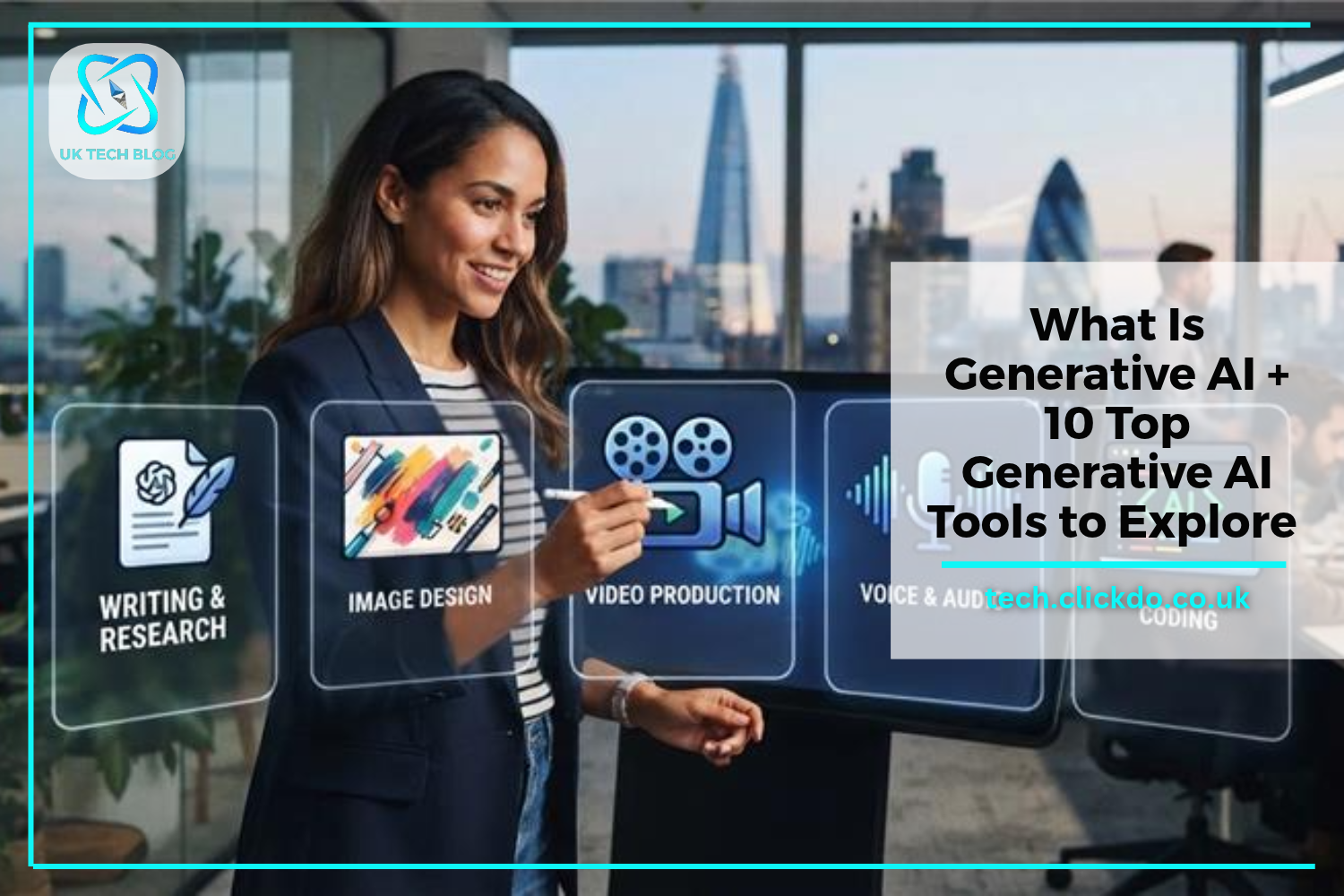
Generative AI can create different types of digital content, including:
- Text: Articles, emails, reports, summaries and product descriptions.
- Images: Digital illustrations, graphics, photographs and design concepts.
- Videos: Short clips, animations and visual presentations.
- Audio: Music, artificial speech and sound effects.
- Computer code: Programming scripts, website code and software development assistance.
These capabilities make generative AI useful across different industries, including marketing, education, healthcare, finance, retail and software development.
How We Selected These Generative AI Tools
To make this guide useful for individuals, content creators and businesses, we considered six important factors:
- Main Purpose: Identify what each AI tool is designed to do, such as writing, research, image generation, video creation or coding.
- Features: Consider the main functions and practical capabilities available to users.
- Pricing and Plans: Check whether free access is available and explain the paid subscription options.
- Ease of Use: Consider how accessible the platform is for beginners, professionals and everyday users.
- Practical Applications: Assess how the tool can support personal activities, education, content creation or business operations.
- Limitations: Highlight relevant usage restrictions, accuracy concerns, feature limits and other considerations.
Note: All details are correct at the time of publishing, but may be subject to change. The following ten generative AI tools are presented in no particular order, with each offering different capabilities for personal and professional use.
10 Best Generative AI Tools
1. ChatGPT – Best for General AI Assistance and Content Creation
Official website: https://chatgpt.com/
Developer: OpenAI
Category: AI chatbot and general-purpose assistant
Main purpose:
ChatGPT is a generative AI assistant designed to understand instructions and produce responses in natural language. It can help with writing, research, learning, brainstorming, data analysis, coding and image-related tasks.
It is a flexible option for people who need one AI platform to support different everyday activities.
Main features and elements:
- Text generation: Create blog outlines, articles, emails, reports, social media captions and other written content.
- Research assistance: Explore topics, compare information and organise research findings.
- File analysis: Upload supported documents and ask questions about their contents.
- Image generation: Create visual concepts and edit images using instructions.
- Data analysis: Work with supported spreadsheets and datasets to identify patterns and produce charts.
- Coding assistance: Generate code, explain programming concepts and help identify errors.
- Voice interaction: Communicate with the assistant using supported voice features.
- Custom GPTs: Use specialised versions of ChatGPT for particular tasks.
Pricing and subscription packages:
- Free – No subscription fee: Provides access to everyday ChatGPT conversations, with limited access to file uploads, image generation, voice, deep research and other advanced tools. Suitable for occasional users and beginners.
- Go – Entry-level paid plan: Offers higher usage limits than the Free plan, including more image generation, file uploads, data analysis and longer memory. It is suitable for people who use ChatGPT regularly but do not need all the advanced features of higher-tier subscriptions.
- Plus – Advanced individual plan: Provides broader access to advanced reasoning models, higher message and file-upload limits, image generation, deep research, expanded memory, projects, scheduled tasks and custom GPTs. It is suitable for students, professionals, researchers and content creators who need more advanced AI assistance.
- Pro – Premium individual plan: Offers higher usage allowances, access to Pro reasoning models, extended research capabilities, increased image-generation access, longer working sessions and advanced agent features. Multiple usage tiers are available, making it suitable for people who rely heavily on AI for demanding professional or research tasks.
- Business – Team and workplace plan: Provides a shared business workspace, access to ChatGPT and related productivity tools, integrations with workplace applications, centralised billing, administrative controls and enhanced data protection. It offers different seat types and is designed for teams and organisations.
- Enterprise – Organisation-level plan: Provides advanced security, access management, data protection, larger context windows, custom data-retention policies, priority support and enterprise administration. Pricing is customised according to organisational requirements.
Limitations to consider:
ChatGPT can sometimes produce inaccurate information or references that need verification. Some advanced features have usage limits, and access varies by subscription. Users should also avoid entering confidential information without checking the platform’s data and privacy settings.
Best suited for: Students, marketers, content creators, researchers, developers and businesses looking for a general-purpose AI assistant.
2. Google Gemini – Best for Google Workspace and Multimodal AI

Official website: https://gemini.google.com/
Developer: Google
Category: AI assistant and multimodal generative AI
Main purpose:
Google Gemini is an AI assistant that can process and generate different types of content, including text, images and other supported media. It can help users research information, develop ideas, understand documents and complete productivity tasks.
Its integration with Google’s wider ecosystem makes it useful for people who regularly work with Gmail, Google Docs, Sheets and other Google services.
Main features and elements:
- Text generation: Draft emails, articles, reports and other written content.
- Research assistance: Explore subjects and organise information using supported research features.
- Image generation: Create and edit images through supported models.
- Document assistance: Work with uploaded files and extract useful information.
- Google Workspace integration: Access Gemini features within supported Google applications and services.
- Coding support: Generate code, explain programming concepts and assist with development tasks.
- Gemini Live: Use supported voice-based conversations.
- Gemini Notebook: Organise research and work with provided information through Google’s notebook experience.
Pricing and subscription packages:
- Free – $0/month: Provides everyday Gemini assistance, with limited access to selected models and features.
- Google AI Plus – US$4.99/month: Offers higher usage limits, additional AI features and expanded cloud storage. Availability and pricing vary by country.
- Google AI Pro – $19.99/month: Provides expanded access to advanced Gemini features, Deep Research, Google AI tools and 5 TB of cloud storage in the US pricing shown.
- Google AI Ultra – $99.99/month: Offers higher usage limits, additional premium features and 20 TB of cloud storage in the US pricing shown.
- Gemini Enterprise – Business pricing: Provides business-focused AI features, administration and organisational controls. Pricing depends on the selected edition and agreement.
Limitations to consider:
Gemini may require a Google Account to access its full range of features. Users who are not signed in may have limited access to chat history, personalised assistance, file uploads and integrations with Google services. Some features also depend on the user’s country, language, age and subscription plan. Additionally, Gemini can sometimes provide inaccurate information, so important facts should be independently verified.
Best suited for: Google Workspace users, students, researchers, professionals and businesses looking for AI assistance within Google’s ecosystem.
3. Claude – Best for Long-Form Writing and Document Analysis
Official website: https://claude.com/
Developer: Anthropic
Category: AI assistant and language model
Main purpose:
Claude is an AI assistant developed to support writing, reasoning, coding and information analysis. It can help users organise complex information, review lengthy documents and develop detailed written content.
It is particularly useful for people who regularly work with reports, research materials, technical documents and long-form writing.
Main features and elements:
- Long-form writing: Develop articles, reports, proposals and structured documents.
- Document analysis: Review uploaded files and extract key information.
- Research support: Organise ideas, compare information and summarise material.
- Coding assistance: Generate, explain and review programming code.
- Projects: Organise related conversations and reference materials.
- Artifacts: Create and work with certain interactive documents and outputs.
- Claude Code: Support software development through an AI-powered coding environment.
- App connections: Connect supported tools and services for additional workflows.
Pricing and subscription packages:
- Free – $0/month: Provides limited access to Claude’s core assistant features.
- Pro – $17/month with annual billing: The displayed annual-discount price is based on a $200 upfront payment. Monthly billing is $20. Includes higher usage limits, additional models, Projects and other advanced features.
- Max – From $100/month: Offers substantially higher usage limits and additional access for people who use Claude extensively.
- Team and Enterprise – Business pricing: Designed for organisations that need collaboration, administration and additional business features.
Limitations to consider:
Usage limits apply, including limits that can depend on demand and the selected plan. Claude may also produce inaccurate information, and generated code or research should be reviewed before use.
Best suited for: Writers, researchers, professionals, developers and teams working with detailed documents or complex information.
4. Microsoft Copilot – Best for Microsoft 365 Productivity
Official website: https://copilot.microsoft.com/
Developer: Microsoft
Category: AI productivity assistant
Main purpose:
Microsoft Copilot is an AI assistant designed to support productivity, information discovery and content creation. It can help users draft documents, summarise information, generate ideas and work with supported Microsoft applications.
Its integration with Microsoft 365 makes it particularly useful for people and organisations already using Word, Excel, PowerPoint, Outlook and other Microsoft services.
Main features and elements:
- Writing assistance: Draft emails, reports, summaries and other business documents.
- Research support: Find information and develop answers to questions.
- Presentation assistance: Help organise presentation content and create slide ideas.
- Spreadsheet support: Assist with formulas, data interpretation and supported Excel tasks.
- Image generation: Create visual content using supported image-generation features.
- Microsoft 365 integration: Access AI assistance within supported Microsoft applications and subscriptions.
- Business productivity: Support meetings, document workflows and communication activities.
- Copilot Studio: Provides options for building and managing custom AI agents and workflows.
Pricing and subscription packages:
- Copilot Free – $0: Provides access to basic AI assistance through supported Copilot experiences.
- Microsoft 365 Personal – Paid subscription: Includes Microsoft 365 applications and AI features with usage limits.
- Microsoft 365 Family – Paid subscription: Provides Microsoft 365 access for eligible family members, although AI benefits may be restricted to the subscription owner.
- Microsoft 365 Premium – Paid subscription: Offers additional productivity and AI features.
- Microsoft 365 Pro – $99.99/month: The US monthly plan displayed by Microsoft includes advanced Copilot features and Microsoft 365 applications, with applicable usage limits.
- Business and Enterprise options – Vary by subscription: Organisations can access Copilot through eligible Microsoft 365 business and enterprise arrangements.
Limitations to consider:
The availability of Copilot features depends on the Microsoft subscription, application and account type. Some advanced functions require a paid Microsoft 365 plan. AI-generated documents, calculations and summaries should also be checked.
Best suited for: Office professionals, students, businesses and organisations that already use Microsoft 365 applications.
5. Perplexity AI – Best for AI-Powered Research and Search
Official website: https://www.perplexity.ai/
Developer: Perplexity AI
Category: AI search and research assistant
Main purpose:
Perplexity is an AI-powered search and answer platform that helps users research subjects and find information from online sources.
Unlike a traditional chatbot that may generate an answer without displaying its supporting material, Perplexity provides source links and citations alongside many of its responses. This makes it useful for people who want to investigate a topic and follow up on the information provided.
Main features and elements:
- AI-powered search: Find information using natural-language questions.
- Source citations: View links to supporting web sources.
- Follow-up questions: Explore a subject through additional questions.
- Deep research: Carry out more detailed research using supported features.
- File analysis: Work with uploaded documents and extract information.
- Model selection: Access different AI models through supported subscription features.
- Document creation: Create research-based documents and other outputs.
- Spaces: Organise research and related information into dedicated workspaces.
Pricing and subscription packages:
- Free – $0/month: Includes basic searches, citations and limited access to advanced features.
- Pro – $17/month with annual billing: The displayed annual-billing equivalent includes expanded research features, access to advanced models and higher usage limits. Monthly billing may cost more.
- Max – $167/month with annual billing: Provides higher usage limits, additional credits and more extensive research capabilities.
- Education Pro – $10/month: Available to eligible verified students through the relevant verification process.
- Enterprise Pro and Enterprise Max – Custom pricing: Designed for organisations requiring business-level access and controls.
Limitations to consider:
Citations do not automatically guarantee that an answer is correct. Sources may be outdated, incomplete or interpreted incorrectly. Users should open the original references and check important claims themselves.
Best suited for: Students, researchers, journalists, marketers, business owners and professionals who need to investigate topics using online sources.
6. Canva Magic Studio – Best for AI-Powered Graphic Design
Official website: https://www.canva.com/
Developer: Canva
Category: AI design and visual content creation
Main purpose:
Canva Magic Studio brings AI-powered features into Canva’s visual design platform. It helps users create graphics, presentations, social media posts, marketing materials and other visual content without requiring advanced design skills.
It is useful for businesses and individuals who want to produce branded content and visual materials through one design platform.
Main features and elements:
- Magic Write: Generate and improve written content for designs.
- AI image generation: Create images from written descriptions through supported tools.
- Magic Design: Generate design suggestions and layouts.
- Background Remover: Remove image backgrounds using supported editing features.
- Magic Edit: Make selected changes to images.
- Magic Resize: Adapt designs for different formats and platforms.
- Presentation creation: Develop presentations using AI-supported design features.
- Brand Kits: Organise brand colours, fonts and visual assets.
- Social media scheduling: Plan and publish content through supported scheduling features.
Pricing and subscription packages:
- Canva Free – $0: Includes basic design tools, templates, elements and limited access to AI features.
- Canva Pro – $144/year: The displayed US annual price for one person. Includes premium templates and content, additional AI access, Brand Kits, social scheduling and 100 GB of cloud storage.
- Canva Business – $250/year per person: The displayed US annual price. Includes additional collaboration tools, enhanced brand management, more AI usage and 500 GB of cloud storage.
- Canva Enterprise – Custom pricing: Designed for larger organisations requiring advanced administration, security and collaboration features.
- Canva AI Pass – Additional cost: An optional add-on for eligible paid plans that provides additional AI usage.
Limitations to consider:
Some AI tools have monthly usage allowances, and advanced features require a paid plan. AI-generated images and text may also need editing to meet brand guidelines and design requirements.
Best suited for: Social media managers, marketers, small businesses, content creators, educators and people who regularly create visual content.
7. Adobe Firefly – Best for AI Image and Creative Content Generation

Official website: https://firefly.adobe.com/
Developer: Adobe
Category: Generative AI for creative design
Main purpose:
Adobe Firefly is a generative AI platform designed for creating and editing visual and multimedia content. It allows users to generate images, modify existing visuals, create effects and explore creative ideas through written instructions.
It also connects with Adobe’s wider creative ecosystem, making it useful for designers and creative professionals.
Main features and elements:
- Text to Image: Generate images from written descriptions.
- Generative Fill: Add, remove or modify elements within an image.
- Generative Expand: Extend an image beyond its original boundaries.
- Text effects: Create decorative text treatments.
- Text to Video: Generate video content through supported features.
- Audio generation: Create sound effects and music through supported tools.
- Image editing: Make creative adjustments to visual material.
- Creative Cloud integration: Work with supported Adobe applications and services.
- Firefly Boards: Explore and organise creative concepts.
Pricing and subscription packages:
- Free – $0: Provides limited daily access to selected image, video and audio generation features.
- Firefly Standard – $9.99/month: Includes 2,000 monthly generative credits.
- Firefly Pro – $19.99/month: Includes 4,000 monthly generative credits and additional access to premium features.
- Firefly Pro Plus – $49.99/month: Includes 10,000 monthly generative credits and higher generation allowances.
- Firefly Premium – $199.99/month: Includes 50,000 monthly generative credits and unlimited access to the Firefly Video Model within the plan’s stated terms.
The paid plan information above reflects the US monthly pricing displayed by Adobe. Credit usage varies by feature.
Limitations to consider:
Advanced video and audio features can consume generative credits quickly. Some features are restricted by subscription level, and users should review Adobe’s terms and applicable usage rights before using generated content commercially.
Best suited for: Graphic designers, digital artists, photographers, marketing teams, creative agencies and businesses producing visual content.
8. Runway – Best for AI Video Generation and Editing

Official website: https://runwayml.com/
Developer: Runway AI
Category: AI video generation and creative production
Main purpose:
Runway is an AI-powered creative platform focused on video generation and editing. It allows users to create and modify video content using text instructions, images and existing video material.
It can support video production workflows, particularly when creators want to experiment with visual ideas or produce short AI-generated clips.
Main features and elements:
- Text to Video: Generate video clips from written descriptions.
- Image to Video: Animate still images using AI.
- Video editing: Modify and enhance supported video content.
- Visual effects: Apply creative effects and transformations.
- Background tools: Support selected background removal and replacement tasks.
- Creative controls: Adjust visual styles and generation settings.
- AI video models: Access Runway’s available generation models.
- Team workflows: Use supported collaboration features for creative projects.
Pricing and subscription packages:
- Free – $0: Provides limited access and a starting allowance of generation credits.
- Standard – Paid subscription: Offers additional monthly credits and access to more video-generation features.
- Pro – Paid subscription: Provides a larger credit allowance and additional creative tools.
- Unlimited – Existing subscribers: Runway has announced a transition from the Unlimited plan to Max for eligible subscribers from 30 November 2026.
- Max – Paid subscription: Designed for creators who need higher-volume generation and more extensive usage.
- Enterprise – Custom pricing: Provides business-level options and collaboration features.
Runway’s credit allowances and plan details can change. Check the official Runway pricing information before choosing a subscription.
Limitations to consider:
Video generation can use credits quickly, especially when producing multiple versions of a clip. Generated videos may contain visual inconsistencies, and users may need several attempts to achieve the desired result. Some advanced features also require paid access.
Best suited for: Video creators, filmmakers, digital marketers, social media teams, creative agencies and businesses experimenting with AI-generated video.
9. ElevenLabs – Best for AI Voice Generation and Audio
Official website: https://elevenlabs.io/
Developer: ElevenLabs
Category: AI voice and audio generation
Main purpose:
ElevenLabs is an AI audio platform that specialises in realistic speech generation and voice-related applications. It can turn written text into spoken audio and support voiceovers, narration, dubbing and other audio production activities.
It is useful for content creators and businesses that want to produce spoken content without recording every piece of audio manually.
Main features and elements:
- Text to Speech: Convert written text into spoken audio.
- AI Voice Generation: Create realistic synthetic speech.
- Voice Cloning: Create supported voice replicas with appropriate permissions.
- Voice Design: Generate voices based on selected characteristics.
- AI Dubbing: Adapt audio content into supported languages.
- Speech-to-Text: Convert supported audio into written transcripts.
- Audio tools: Generate and work with supported sound and audio content.
- API integration: Connect voice-generation features with other applications.
Pricing and subscription packages:
- Free – $0: Provides limited access to selected voice-generation features and usage allowances.
- Starter – Paid subscription: Adds more generation capacity and additional voice features.
- Creator – Paid subscription: Provides higher usage allowances and additional voice-generation capabilities.
- Pro – Paid subscription: Offers greater capacity for regular professional audio production.
- Scale – Paid subscription: Designed for higher-volume production and more extensive usage.
- Business and Enterprise – Custom pricing: Provides options for larger organisations and specialised commercial requirements.
ElevenLabs uses usage-based allowances and different subscription levels. Check the official ElevenLabs pricing page for the latest prices, credits and plan inclusions.
Limitations to consider:
Generated speech may still require editing to achieve the correct tone, pronunciation and pacing. Voice cloning also raises consent and identity-related concerns. Users should only create or reproduce voices when they have the necessary permission and rights.
Best suited for: YouTubers, podcasters, educators, video creators, marketing teams, audiobook producers and businesses creating spoken content.
10. GitHub Copilot – Best for AI-Assisted Software Development

Official website: https://github.com/features/copilot
Developer: GitHub
Category: AI coding assistant
Main purpose:
GitHub Copilot is an AI coding assistant designed to help developers write, understand and improve software code. It works with supported development environments and can suggest code as developers work.
It can help reduce repetitive programming tasks and support software development, although developers remain responsible for reviewing and testing generated code.
Main features and elements:
- Code completion: Suggest code while developers are writing.
- Code generation: Generate functions and code sections from instructions.
- Code explanations: Explain existing code and programming concepts.
- Debugging assistance: Help identify possible errors and suggest improvements.
- Test generation: Support the creation of software tests.
- Code review: Assist with reviewing changes through supported features.
- Agent mode: Help complete more complex development tasks.
- IDE integration: Work with supported development environments such as Visual Studio Code and other compatible editors.
Pricing and subscription packages:
- Free – $0/month: Includes 2,000 code completions per month and limited chat and agent usage.
- Pro – $10/month per user: Includes unlimited code completions, additional coding features and $15 in monthly total credits.
- Pro+ – $39/month per user: Offers access to premium models, higher included usage and $70 in monthly total credits.
- Max – $100/month per user: Provides higher usage allowances, priority access to selected features and $200 in monthly total credits.
- Business and Enterprise – Organisation pricing: Provides additional administration, security and team management options.
The prices above reflect GitHub’s displayed US individual subscription plans. Check the official GitHub Copilot pricing page for current individual and business options.
Limitations to consider:
Generated code may contain security weaknesses, errors or unsuitable implementation choices. Developers should review suggestions, run tests and follow appropriate software security practices. Some advanced features also use additional AI credits.
Best suited for: Software developers, programming students, engineering teams and businesses involved in software development.
How to Choose the Right Generative AI Tool
With so many generative AI platforms available, choosing the right one depends on the task, budget and features required.
Here are a few points to consider before subscribing:
- Identify your main task: Choose a tool that matches your requirements, such as writing, research, image creation, video production, audio generation or coding. For example, AI writing assistants can support content creation and SEO workflows. Explore our guide to AI Writing Tools and SEO to learn more.
- Compare free and paid plans: Test free versions before committing to a monthly or annual subscription. If you are comparing popular AI assistants, our guide to Claude vs ChatGPT explores their features, strengths and limitations across different everyday and professional tasks.
- Check usage limits: Review message allowances, credits, file-upload restrictions and generation limits.
- Consider existing software: Tools that integrate with applications you already use may make everyday work easier. For example, content creators using WordPress can explore how ChatGPT supports WordPress publishing workflows.
- Review privacy arrangements: Check how each platform handles uploaded documents, personal information and business data.
- Verify commercial usage rights: Read the terms before using AI-generated images, audio, video or text in commercial projects.
- Check output quality: Test the results and compare them with your requirements before using generated content professionally.
You do not need to subscribe to every AI platform. Starting with one general-purpose assistant and adding specialist tools when required can be a more practical approach.
What Is the Future of Generative AI?
Generative AI is expected to become more closely integrated into business software, digital services and everyday technology.
One important development is the growth of AI agents. Unlike basic chatbots that mainly respond to questions—such as the conversational tools covered in our guide on how UK businesses use AI chatbots—AI agents can work towards specific goals, use connected tools and complete multiple steps within a task, subject to their permissions and capabilities.
Other developments are likely to include:
- More advanced AI assistants: Helping users manage complex tasks and workflows.
- Improved content generation: Creating more realistic images, videos, audio and digital experiences.
- Business automation: Supporting administrative, marketing and customer service processes. Businesses can also explore how AI is influencing marketing strategies in our article on AI and Digital Marketing.
- Personalised digital services: Providing more relevant recommendations and user experiences.
- Improved AI security: Developing better ways to identify misleading content, protect information and manage AI-related risks.
The Growth of the UK AI Industry
The development of generative AI is also contributing to the growth of the wider UK technology sector.
The UK Government’s Artificial Intelligence Sector Study 2025, published on 29 October 2026, reported significant growth in the country’s AI industry.
The research estimated that:
- £33.6 billion in AI-related revenue was generated in 2025, representing a 41% increase compared with 2024.
- 130,403 people were employed in AI-related roles, an increase of 51% from 2024.
- The number of registered AI firms reached 10,488, representing 79% growth.
- AI-related gross value added reached £18.6 billion, an increase of 58%.
These figures show that AI is becoming an increasingly important part of the UK economy.
As more organisations invest in AI software, research and digital infrastructure—including connected hardware powered by the Artificial Intelligence of Things (AIoT)—demand for relevant skills and technical expertise is also likely to grow.
However, the future development of generative AI will depend on how effectively businesses manage its limitations, data security, accuracy and wider social impact.
Looking Ahead: What Generative AI Means for You
Generative AI is changing how people create content, access information and complete everyday tasks. Whether you are an individual, student or business owner, understanding how this technology works can help you use it effectively and make informed decisions.
As AI-powered search and digital technologies continue to evolve, understanding developments such as Answer Engine Optimisation (AEO) will also become increasingly valuable for businesses and content creators.
At UK Tech Blog, we’ll continue sharing the latest technology updates, practical guides and useful insights to help you keep up with developments in artificial intelligence.
Get in touch with us to share your experiences and insights and help readers better understand how generative AI can support their work and everyday lives.
Disclaimer: All information was correct at the time of publication and was researched using reliable sources, accredited tools and relevant industry data.