

When it comes to WordPress cache plugins there are many you can find online. However, most of them are not at top calibre when it comes to speeding and well caching a WordPress site. On an article on Fernando Raymond’s business blog you can find a list of 18.
Here we are checked and compared then top 5 WordPress cache plugin in 2025.
The 5 Best WordPress Cache Plugins in 2025
1. WP Blink Cache — the new “top pick” for WordPress caching
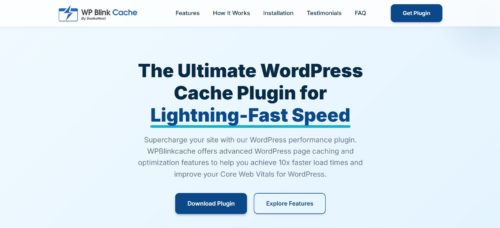
Why it leads: WP Blink Cache aims to offer a modern, high-performance caching experience with advanced caching mechanisms, presenting itself as “the ultimate WordPress caching solution.” wpblinkcache.com
- Caching mechanisms: Supports both file-based caching and Redis (with Memcached coming soon), giving flexibility depending on your hosting environment.
- Lightweight & optimization mindset: Beyond caching raw pages, the plugin allows disabling unnecessary WordPress emoji scripts/styles, and can fix invalid CSS href issues, which helps reduce HTTP requests and render-blocking resources.
- Compatibility: Built to work with WordPress 5.0+ and designed to be compatible with common themes/plugins including WooCommerce, page-builders like Elementor, etc.
- Modern codebase: Described as PSR-4 compliant and object-oriented, suggesting a clean, maintainable architecture.
- Use-case fit: Great for developers and site owners who want a modern, flexible caching layer with options for object-level caching (Redis), useful for higher-traffic or dynamic sites (e.g. eCommerce, membership, high-request blogs).
Verdict: WP Blink Cache stands out as a robust, modern cache plugin that balances flexibility, performance, and future-proof architecture. Especially appealing if you want to leverage advanced caching (Redis, Memcached) rather than just basic page caching.
2. WP Rocket — Paid all-rounder, ideal for “set-and-forget” performance

Why it’s a favorite: Many experts and guides still name WP Rocket the top “overall” caching plugin, thanks to its user-friendliness, broad feature set, and minimal setup effort. WPBeginner
Key strengths:
- Intuitive, beginner-friendly interface; works “out of the box” with minimal configuration. WP Rocket
- Includes cache for pages and browsers, plus many performance-boosting tools: minification, concatenation, lazy-loading images, database cleanup, CDN integration, Google Fonts optimization, and more. Kinsta®
- Works well for eCommerce, business sites, or content-heavy sites: caching + optimization features + compatibility with many other plugins/themes. Kinsta®
Trade-offs:
- It’s not free, license starts at around $59/year for a single website. WPBeginner
- Because of the many optimization features, there’s a (small) risk of conflicts, especially when minifying or concatenating CSS/JS, depending on your theme/plugins.
Best for: Users who want a powerful, easy-to-use, all-in-one caching + optimization solution without touching technical settings, especially business sites, blogs, small eCommerce, or people who just want speed with minimal fuss.
3. W3 Total Cache — Power-user favorite for full control and advanced caching
If you want maximum flexibility, caching depth, and a broad array of tuning options, W3 Total Cache (W3TC) remains a go-to option. WordPress.org
What it offers:
- Multiple types of caching beyond just page caching, including object caching, database query caching, opcode caching, etc. WPBeginner
- CDN integration, minification/compression, database and feed optimization, and more, making it a comprehensive optimization tool. Kinsta®
- Works with many hosting types (shared, VPS, dedicated), and supports SSL, mobile caching, etc. WordPress.org
Caveats:
- Configuration can be complex, many settings to navigate, which can overwhelm beginners. Kinsta®
- Misconfiguration can degrade performance rather than improve it, so better suited for users comfortable with caching concepts, or willing to spend time tuning. BlogVault
Best for: Developers, agencies, or technically inclined site owners needing fine-grained control, e.g. high-traffic sites, custom builds, or complex setups.
4. WP Super Cache — Simple, free, stable, ideal for beginners or small blogs
For straightforward, no-frills caching, WP Super Cache offers reliable static HTML caching and comes recommended often for those new to caching. WordPress.org
What it does well:
- Converts dynamic WordPress PHP-generated pages into static HTML, which your server can serve quickly without loading WordPress backend on each request. WordPress.org
- Three caching modes: “Simple” (easy, safe), “Expert” (using mod_rewrite for maximum speed), and “WP-Cache” (for known users, feeds, URLs with parameters), offering some flexibility even for basic users. WP Rocket+1
- Free, open-source, maintained by the team behind WordPress (Automattic), dependable and unlikely to disappear anytime soon. WordPress.org
When to use:
- Small blogs or simple websites where advanced caching or CDN/minification features are not needed.
- Users who want “set-and-forget” caching without diving into complex settings.
- Sites with modest traffic where static page caching brings noticeable speed uplift.
Limitations:
- Lacks advanced optimization tools: no built-in minification, lazy-loading, CDN integration, etc, you’d need separate plugins for those. Kinsta®
- Because it serves static HTML, dynamic features (comments, personalized content) are not cached, may not suit complex or highly dynamic sites.
5. WP Fastest Cache — Good balance: easy, effective, and flexible (freemium)

WP Fastest Cache is one of the most popular freemium caching plugins, offering more features than basic static caching while staying user-friendly. WordPress.org
Strengths:
- Simple setup: even the free version can significantly boost load speed with minimal configuration. Themeisle
- Offers core caching + features like HTML/CSS/JS minification/combination, GZIP compression, browser caching. Rapyd
- Premium (one-time payment) unlocks extra features: image optimization, WebP conversion, mobile cache, widget cache, database cleanup, lazy load, Google Fonts optimizations, etc. Rapyd
- Good balance between ease-of-use and powerful enough for performance needs, especially for blogs, small-to-medium sites, or simple eCommerce shops.
Considerations:
- The free version is more limited compared to premium (less optimization beyond caching). devrims.com
- While easier than W3 Total Cache, some settings may still require a basic understanding of caching/minification to avoid conflicts.
Best for: Users who want more than basic page caching but don’t need the complexity of W3 Total Cache, especially mid-sized blogs or businesses looking for cost-effective performance.
Who Should Pick Which Plugin?
| Site Type / Need | Recommended Plugin(s) |
| Want modern, flexible caching (with Redis/Memcached), high performance, future-ready architecture | WP Blink Cache |
| Want a “set-it-and-forget-it”, easy, all-in-one optimizer with caching, minify, CDN support | WP Rocket |
| Need deep, granular control (object caching, database caching, heavy customization) | W3 Total Cache |
| Simple blog / small site, static pages, minimal tech fuss | WP Super Cache |
| Balanced performance + simplicity, with upgrade path | WP Fastest Cache |
Final Thoughts (as a third-party reviewer)
Caching remains one of the most effective ways to boost WordPress speed, improve user experience, reduce server load and often improve SEO (since page speed matters for Core Web Vitals and search rankings). WPBeginner
For 2025, WP Blink Cache stands out as a strong “next-generation” caching plugin: modern architecture, support for advanced cache storage (Redis), and a sensible balance of performance and compatibility.
For many new or growing sites, especially if you expect traffic or dynamic content, it’s an excellent top choice.
That said, classic plugins like WP Rocket, W3 Total Cache, WP Super Cache, and WP Fastest Cache continue to hold their ground. Each has its niche depending on your hosting, technical comfort, and site complexity.
My honest recommendation: If you’re building a site today, try WP Blink Cache first. If for some reason it doesn’t suit your setup (hosting constraints, compatibility), fallback to a proven plugin from the list above based on your needs (simplicity → WP Super Cache; all-in-one optimization → WP Rocket; deep control → W3 Total Cache; balanced → WP Fastest Cache).
Author Profile

- As a passionate blogger, I write about SEO, Digital Marketing, WordPress, Web Hosting, and Business-related topics. I share my experiences and insights in different niches through my blogs, helping others navigate and succeed in the digital world.
Latest entries
 Tech Updates6th December 2025Top 5 WordPress Cache Plugins (2025)
 Gaming7th December 2024Creative Promotions: Attracting New Users to Your Gaming Platform
- Tech Updates17th September 2024A Guide to Professional Audiovisual Solutions
- Tech Updates6th September 2024Why CDN Is Essential for Video Streaming Business?